
Making Your LinkedIn Profile Public & Searchable
If no one can find you, your LinkedIn profile is useless.
You could have the most optimized profile, a compelling headline, and a stellar “About” section, but if your profile settings are too restrictive, you’re making it harder for people to connect with you.
Many people don’t realize that LinkedIn has privacy settings that can either boost their visibility or bury their profile where no one will see it.
If your goal is to grow your network, attract opportunities, and establish authority, your profile needs to be public and searchable.
LinkedIn operates as both a social platform and a search engine. It ranks profiles based on keywords, engagement, and relevance, much like Google.
If someone searches for a “B2B content strategist” or a “LinkedIn lead generation expert,” LinkedIn’s algorithm will pull up the most relevant profiles based on how well they match the search criteria.
If your profile is private, incomplete, or lacking the right keywords, you won’t show up—no matter how great your expertise is.
The first step in making your profile more discoverable is checking your visibility settings.
LinkedIn allows you to control who can see your profile, but the more restrictions you place, the harder it is for people to find you.
Go to your settings and make sure your public profile is turned on.
If it’s currently set to private, only your direct connections can see you, which defeats the purpose of using LinkedIn for marketing.
Once your profile is public, optimize it for searchability. This means strategically using keywords that match what people are looking for.
If you’re a sales consultant, don’t just list “Sales Consultant” in your headline—use phrases people actually search for, like “B2B Sales Strategist | Helping Companies Increase Conversions.”
The same applies to your “About” section, experience, and skills.
Think about what terms your ideal audience would type into LinkedIn if they were looking for someone like you.
If you’re a personal branding expert, people might search for “brand strategist,” “personal brand coach,” or “LinkedIn branding specialist.”
If you’re a social media manager, they might search for “Instagram growth expert” or “Facebook ads strategist.” Include these phrases naturally throughout your profile.
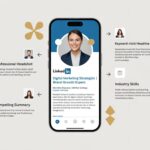
Your headline is one of the most important factors for search visibility. It appears in comments, connection requests, and search results, so make sure it’s optimized.
Instead of a generic title, incorporate specific keywords. “Helping E-commerce Brands Scale with Paid Ads” is far more searchable than just “Marketing Consultant.”
Your “About” section should also be keyword-rich, but don’t stuff it with random terms. Write naturally while integrating the phrases people search for.
If you’re an SEO consultant, you might include, “I help small businesses increase their online visibility with SEO strategies, keyword research, and content optimization.”
The key terms—SEO strategies, keyword research, and content optimization—are embedded naturally in a way that makes sense.
Your experience section should reinforce these keywords as well. If you’re listing past roles, don’t just include job titles—add descriptions that align with what people search for.
Instead of just saying “Managed social media accounts,” say “Managed social media marketing for B2B brands, focusing on LinkedIn growth, engagement strategies, and lead generation.”
This increases your chances of appearing in search results. Another way to boost your discoverability is by customizing your LinkedIn URL.
LinkedIn automatically generates a default URL with random numbers and letters, but you can edit it to make it cleaner and more professional.
Ideally, use your name or a variation of it. If your name is taken, try adding your industry or expertise, like “JohnSmithSEO” or “SarahMarketingExpert.”
A custom URL makes your profile easier to share and improves its ranking in search engines.
Your profile photo and banner also impact visibility. LinkedIn prioritizes complete profiles, and having a professional headshot and a well-designed banner improves your ranking.
Profiles with missing elements often get pushed lower in search results.
If LinkedIn sees your profile as incomplete, it assumes you’re inactive or not serious about using the platform.
Engagement also plays a role in searchability. If you comment on posts, share content, and interact with your network, LinkedIn sees your profile as active and relevant.
This increases the likelihood of your profile appearing in searches. A dormant profile with no activity will struggle to gain visibility, even if it’s optimized with the right keywords.
Your skills section helps with search rankings too. LinkedIn matches profiles based on skills listed, so ensure yours reflect what you want to be known for.
If you specialize in content marketing, your top skills should include “Content Strategy,” “SEO Copywriting,” and “Social Media Marketing” rather than irrelevant ones like “Microsoft Office.”
Prioritize skills that align with your niche.
Endorsements add further credibility. While endorsements alone won’t skyrocket your search ranking, they reinforce your expertise.
If multiple people endorse you for “Email Marketing,” it signals to LinkedIn that you are knowledgeable in that area, which can improve your profile’s relevance in searches.
If your goal is to attract new connections, leads, or business opportunities, your profile can’t be hidden away.
Adjust your visibility settings so your profile is public, refine your keywords to make it easy for people to find you, and ensure every section of your profile contributes to your discoverability.
Take a few minutes today to update your settings, add relevant keywords, and position yourself so the right people can find you.




Post a Comment