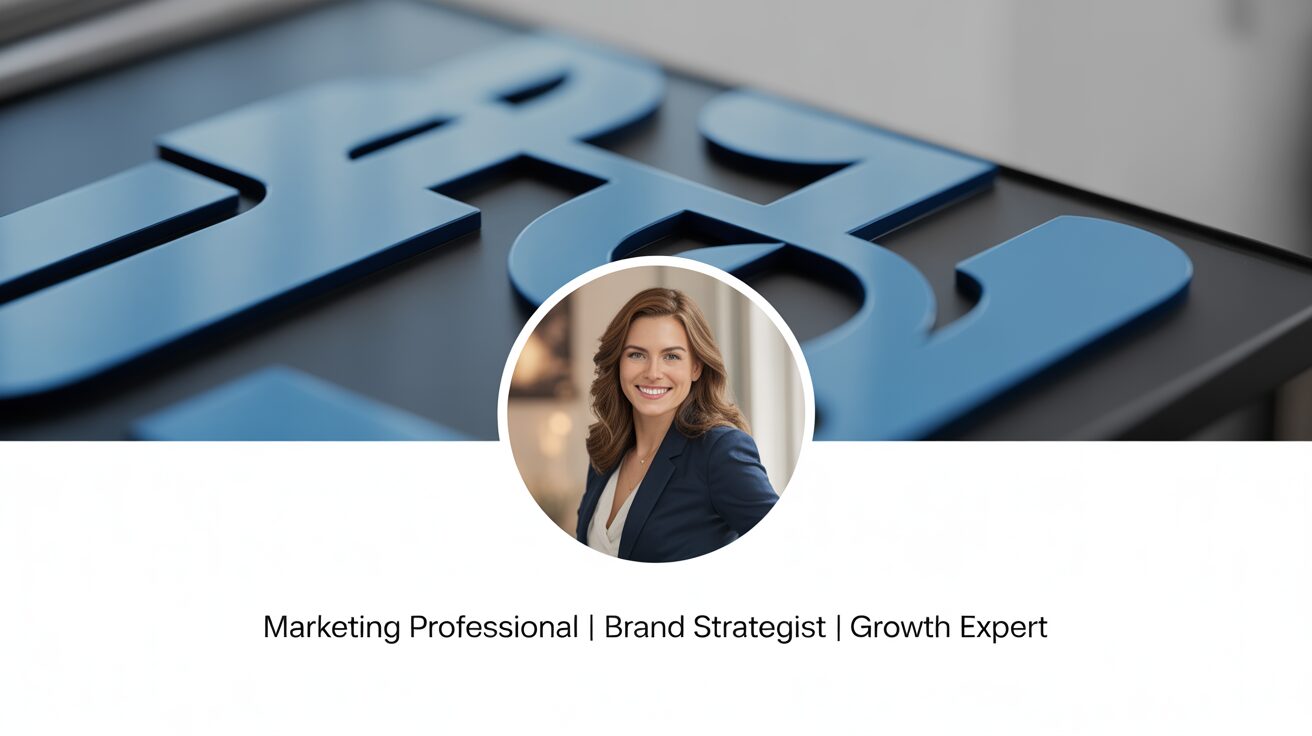
Perfecting Your LinkedIn Profile Picture and Banner
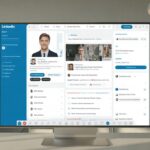
First impressions on LinkedIn happen fast. Your profile picture and banner are the first things people notice, often before they even read your name or headline.
If your photo is unprofessional or your banner is missing, you’ve already lost credibility before someone decides whether to connect, engage, or trust what you have to say.
A weak visual presence makes it seem like you’re not serious about your brand or business. A strong one builds instant authority and encourages people to take you seriously.
Your profile picture isn’t just a formality. It’s a signal of professionalism, approachability, and confidence. A blurry, poorly lit, or casual image doesn’t inspire trust.
A high-quality, well-lit headshot immediately makes you look credible.
If you’re still using an outdated photo or a cropped group picture from a wedding, it’s time to upgrade.
A professional headshot is ideal, but if that’s not an option, a well-taken smartphone photo can still work if done right.
Good lighting makes all the difference. Natural light is best, especially if you stand near a window or go outside during golden hour.
Avoid harsh shadows, overhead lighting, or dim settings that make your face hard to see.
Your expression matters too. A stiff or overly formal look can make you seem unapproachable, while a warm, confident smile creates a sense of connection.
You don’t have to grin like a game show host, but looking engaged and self-assured makes a huge difference.
Your background should be clean and distraction-free. A cluttered background takes the focus away from you.
If you’re taking the photo yourself, stand in front of a neutral-colored wall, a simple office setting, or a blurred background. Avoid anything too busy or unprofessional.
If needed, use a background remover tool to create a polished look.
Your attire should match your industry. If you’re in corporate finance, a blazer or button-down shirt makes sense.
If you’re a creative entrepreneur, a polished but relaxed outfit works. The goal is to look like the best version of yourself in the context of your industry.
A well-framed photo ensures your face is clearly visible. LinkedIn’s profile picture crop is circular, so avoid images where your face is too far away or awkwardly positioned.
Center yourself in the frame, with your face taking up around 60% of the space. A close-up that clearly shows your eyes and expression makes you more recognizable.
Once your profile picture is set, it’s time to focus on your banner. A missing or generic banner is wasted space.
LinkedIn gives you this prime real estate at the top of your profile, and not using it effectively is like having a billboard with nothing on it.
A strong banner reinforces your brand, communicates your message, and makes your profile look complete.
Your banner should be visually appealing but not cluttered. A chaotic design filled with too many elements or tiny text will overwhelm visitors. Simplicity is key.
A clean layout with clear branding is far more effective than a messy, overly complicated design.
Think about what you want your banner to communicate. If you’re a consultant or service provider, use this space to reinforce your expertise.
A simple banner with your tagline, website, or a short, compelling message can instantly communicate your value.
If you’re an entrepreneur, showcasing your company name, logo, and a visual representation of your industry helps establish credibility.
If you’re focused on personal branding, a clean design with a strong statement about what you do can make you memorable.
Make sure your banner aligns with your brand colors and style. If your website, logo, and other branding elements use a specific color palette, keep your LinkedIn banner consistent.
This makes your online presence feel cohesive and professional.
Avoid generic stock images that don’t add meaning.
A random city skyline or abstract background might look nice, but if it doesn’t tell visitors anything about who you are or what you do, it’s not serving a purpose.
Instead, use visuals that reinforce your message.
If you’re in real estate, a professional image of homes or cityscapes makes sense.
If you’re a business coach, a simple but powerful phrase about your approach can be effective. If you’re in tech, a futuristic, sleek design can align with your industry.
If you’re not a designer, tools like Canva make it easy to create a high-quality LinkedIn banner. They offer pre-made templates that can be customized with your branding.
A good rule of thumb is to keep text minimal—your name, tagline, and website are usually enough. Too much information clutters the space and becomes hard to read.
Your banner should be optimized for different screen sizes. On desktop, the full banner is visible, but on mobile, the sides may be cut off.
Keep key elements like text and logos centered to ensure they remain visible on all devices.
Your profile picture and banner work together to create a strong first impression.
When they are well-designed and aligned with your brand, they immediately make you stand out.
They show that you take your presence seriously and that you’re someone worth paying attention to.
A polished visual profile isn’t just about aesthetics—it’s about credibility. People judge professionalism within seconds, and a weak image setup makes it harder to establish trust.
A high-quality headshot and well-thought-out banner tell visitors that you’re intentional, professional, and worth connecting with.
Upload a clear, professional profile picture and design a compelling banner today.
These small changes can make a major impact on how you’re perceived and the opportunities that come your way.

Post a Comment